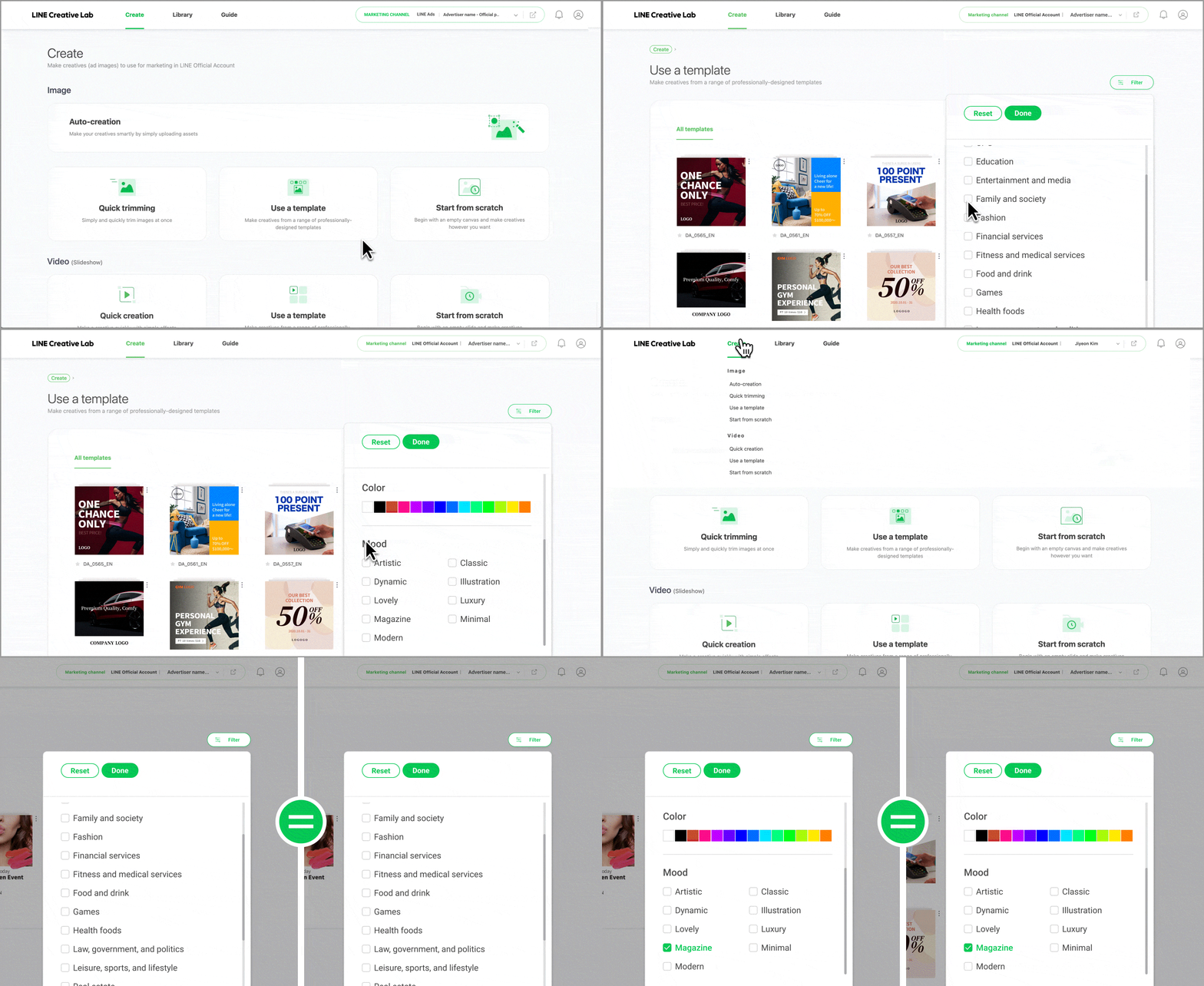
Date filter for My creatives
You can now check all of your sent creatives immediately, regardless of when you created them.
We made it easier to get search results for a certain period of time.
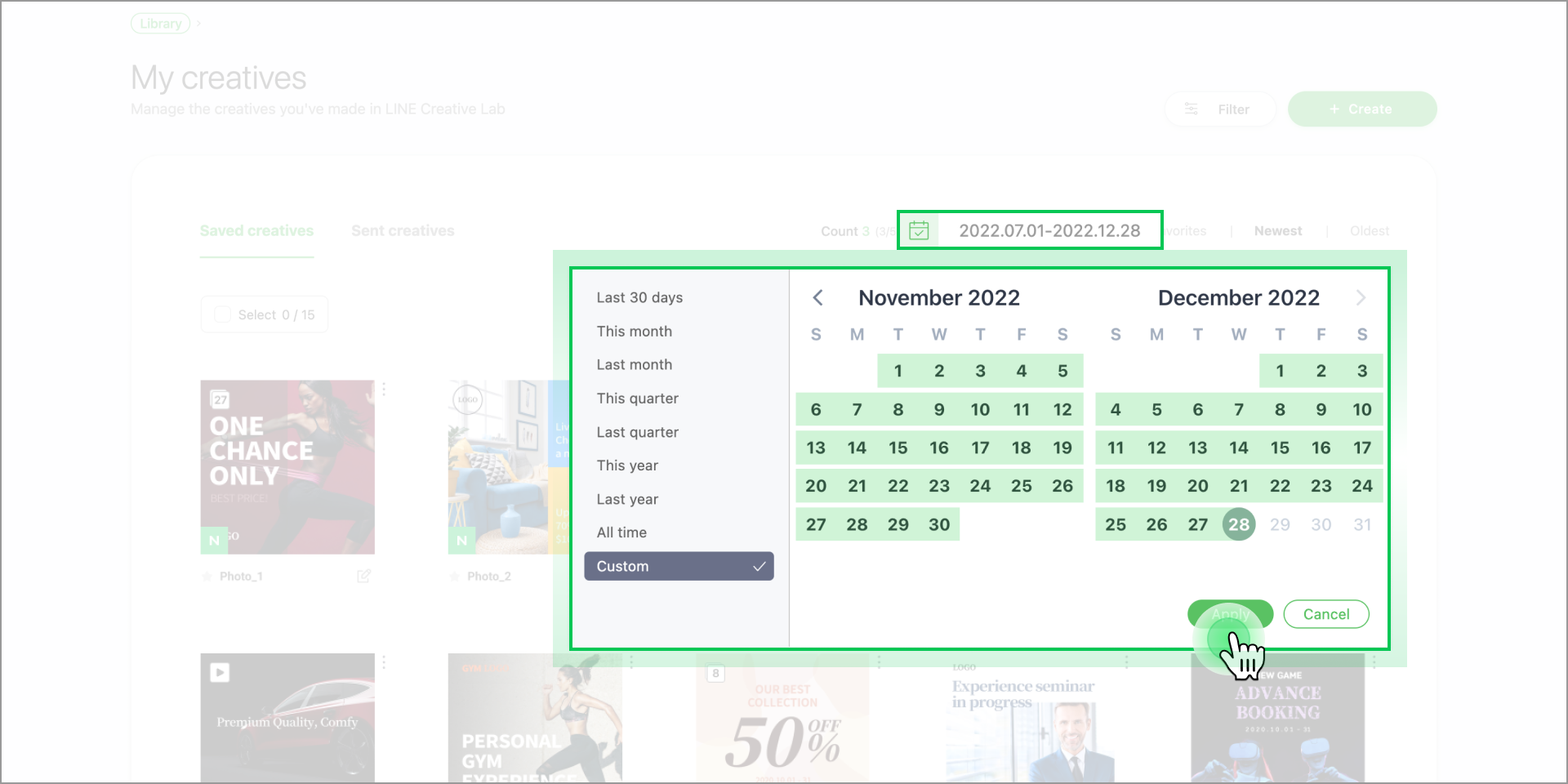
Batch management features
- 「In addition to including the ability to download multiple sent creatives, we've added even more batch management features:
- Open and edit multiple saved creatives simultaneously in separate tabs.
- Delete multiple items in My creatives and My assets at the same time.
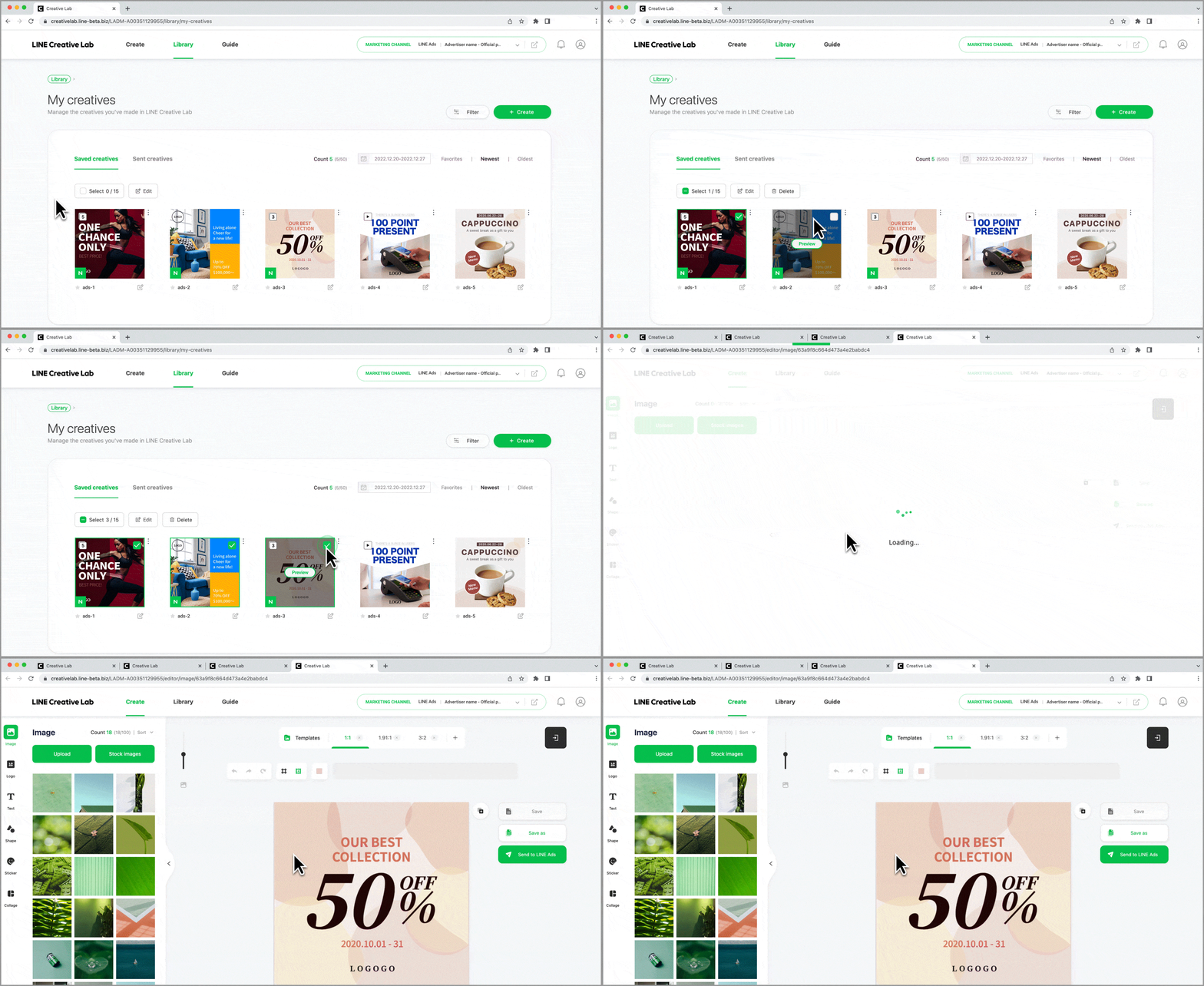
Template search filter
The industry, country, language, color, and mood filters you last searched with are saved for your next search. (If you delete your browser's cache, the conditions may be reset.)
Search conditions are saved differently for Image templates, Video templates, and your Preferred templates.
Filter settings stay the same when you change marketing channels.