Experience an easier account selection process and an even more enjoyable to use image editor workspace. Check out the quick tour and tutorial to ensure you haven't missed any features.
01 Account selection and management
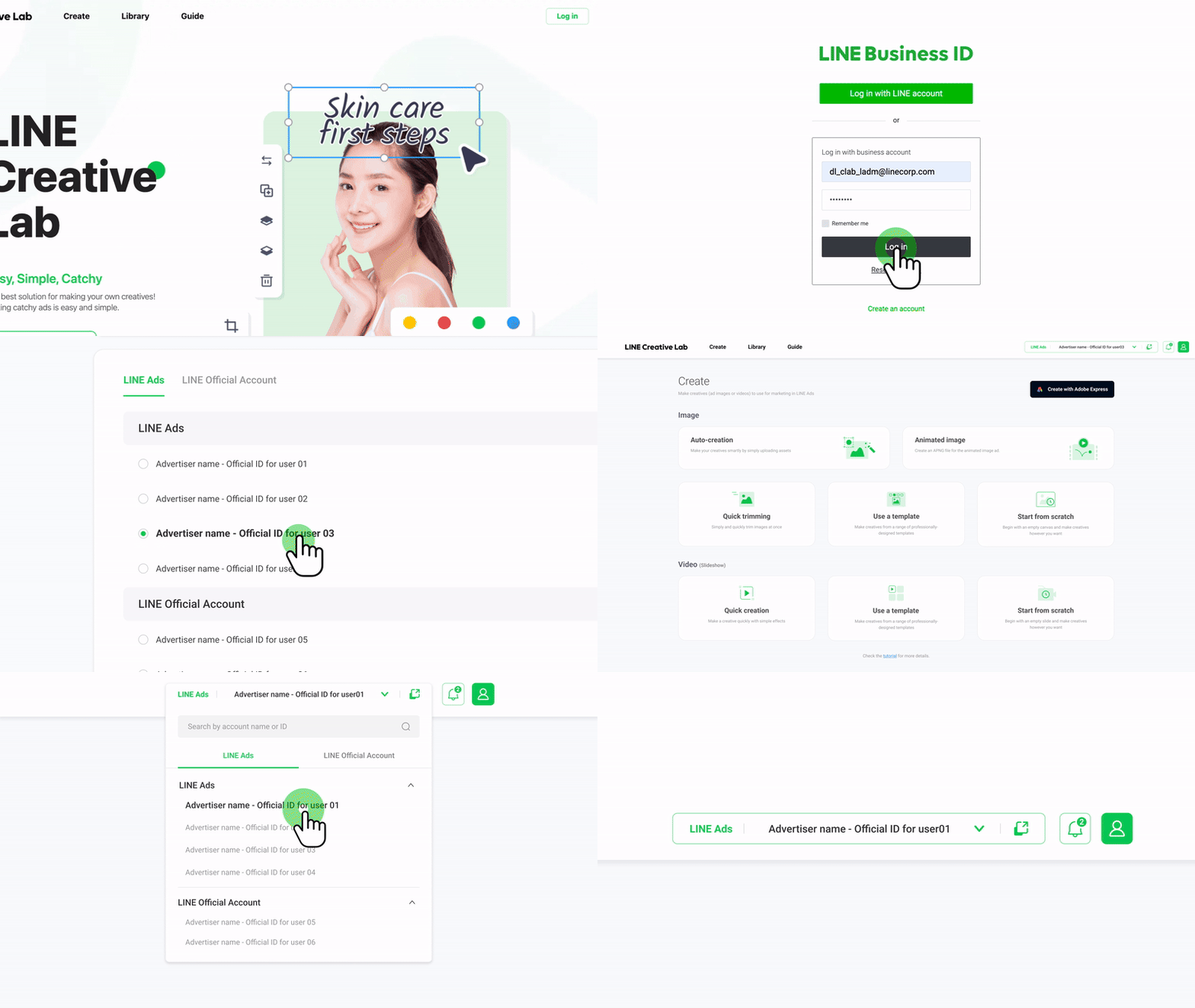
When you access Creative Lab's features for making and managing creatives, please select the relevant account directly from the menu.
- After logging in, the Select account page will automatically appear. You can change your selection at any time from the account selection box at the top right corner.
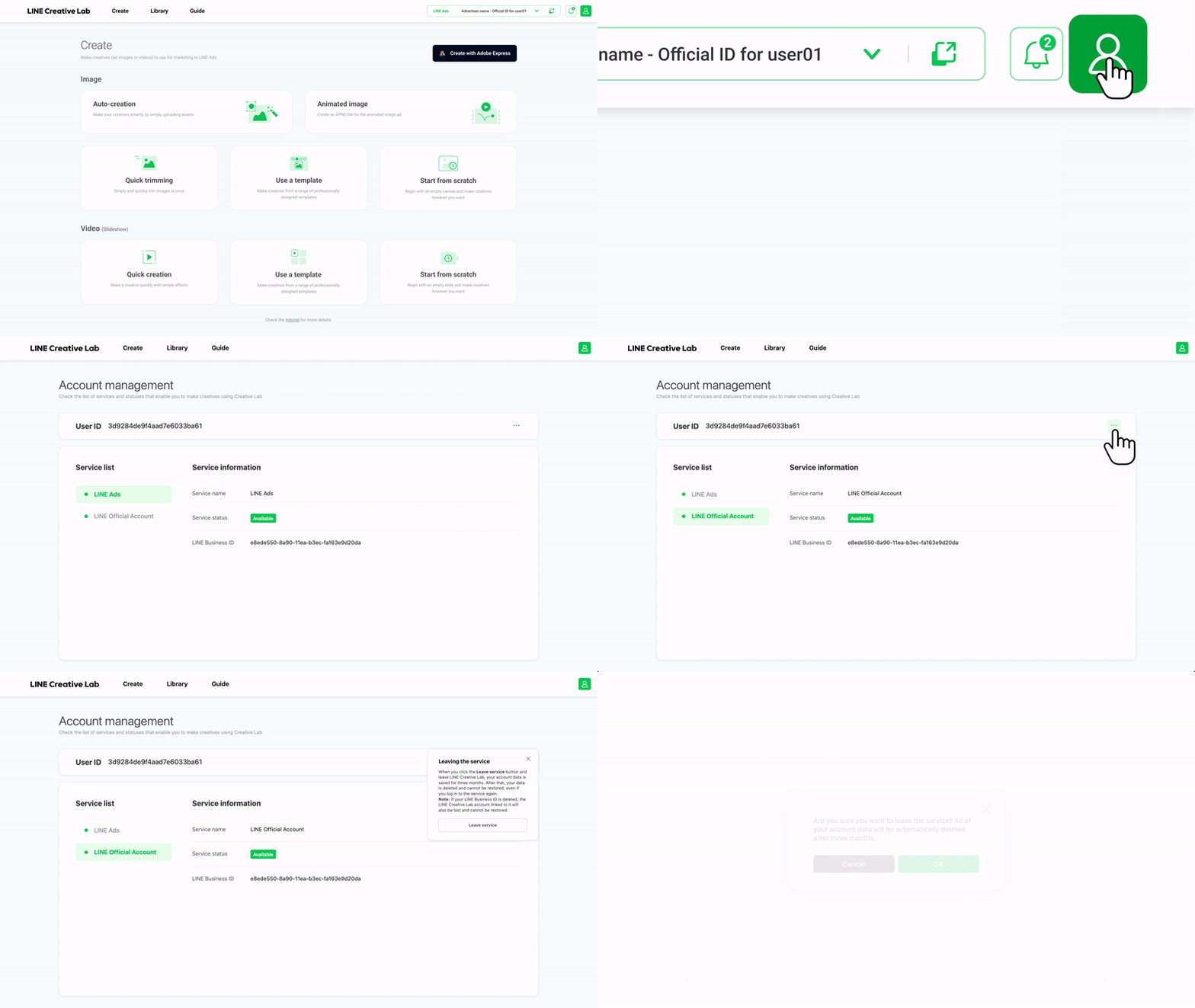
- The new Account management page allows you to check the availability status of services supported by Creative Lab or leave the service.
02 Image editor interface improvements
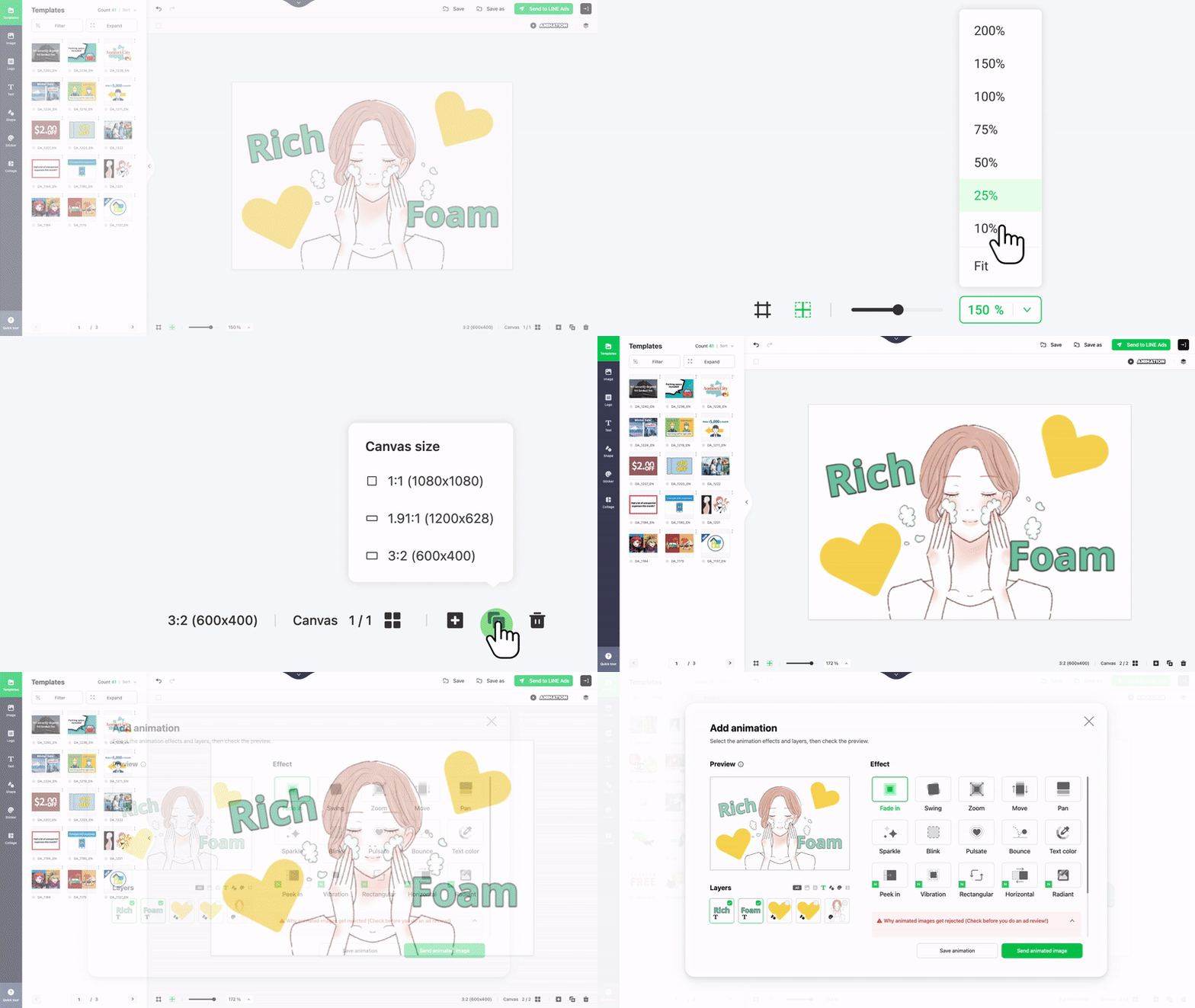
- A variety of fixed scale options have been added to the zoom feature, and a Fit option that automatically optimizes the canvas size to fit the screen has also been added.
- The Copy canvas button, previously located to the right of the canvas, has been moved to the bottom right canvas assistance tools area of the image editor.
The animation settings button shown when a 3:2 sized canvas is selected has also been moved to the top right.
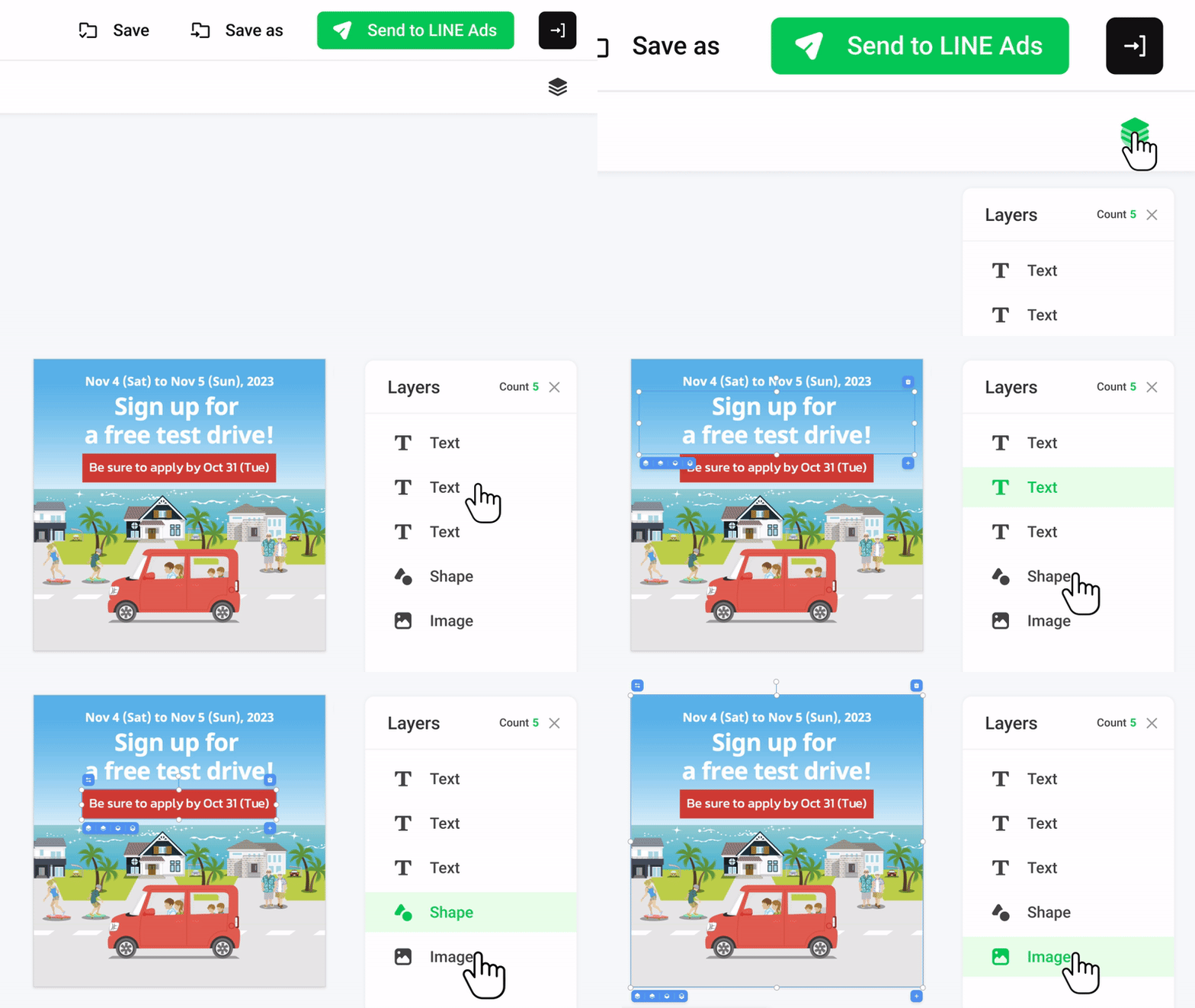
- A feature to show a list of your layers has been added. You can toggle it on/off as needed by clicking the Layers icon at the top right corner.
Additionally, the interface has been improved and changed to a list format so you can easily check the number and order of layers added to the canvas and select hidden layers.
03 User guide enhancements
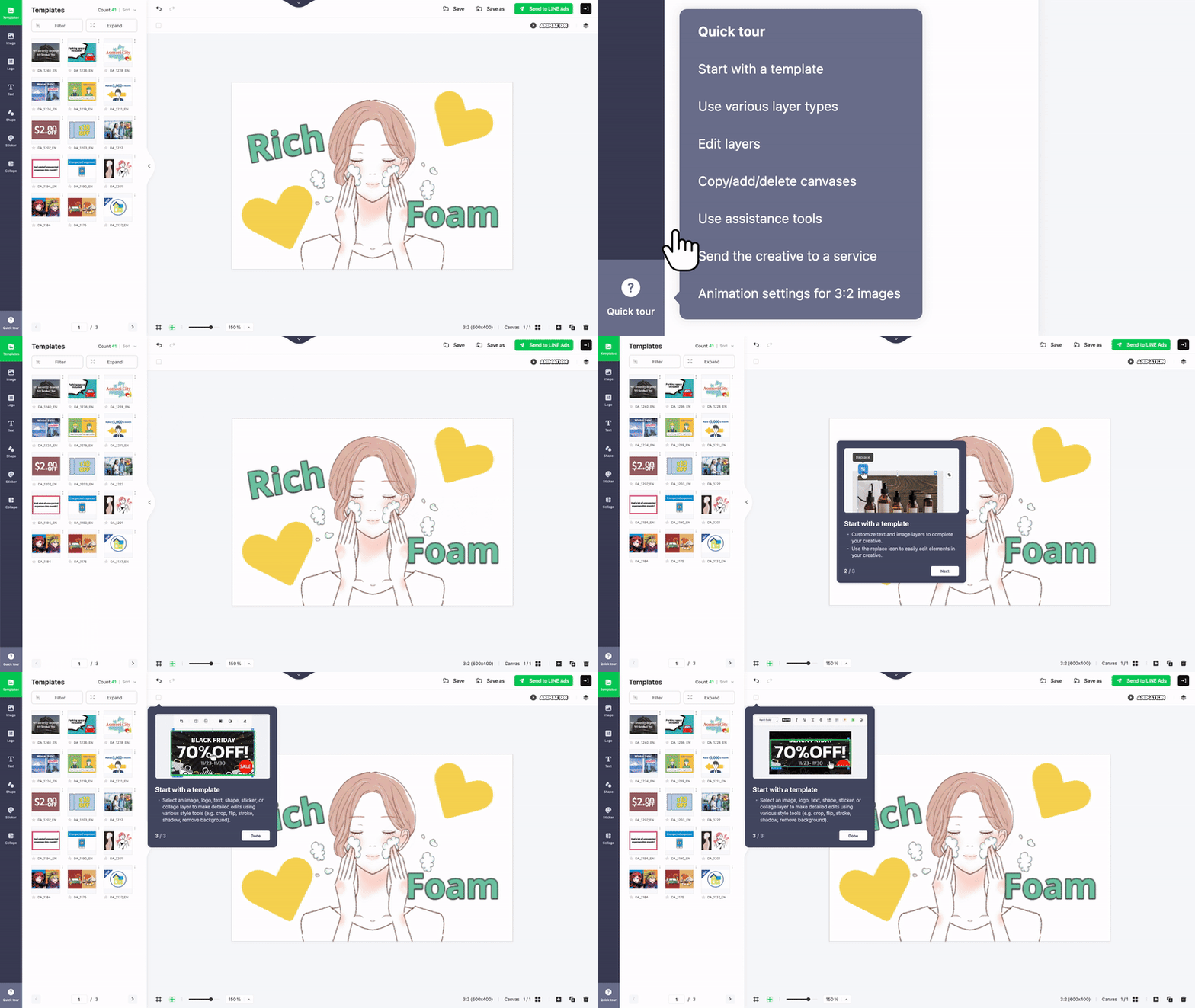
A quick tour guide menu has been added so you can quickly learn the key features of the image editor.
Make sure you haven't missed any major features like starting with templates, using various layer types, or sending creatives to different services.
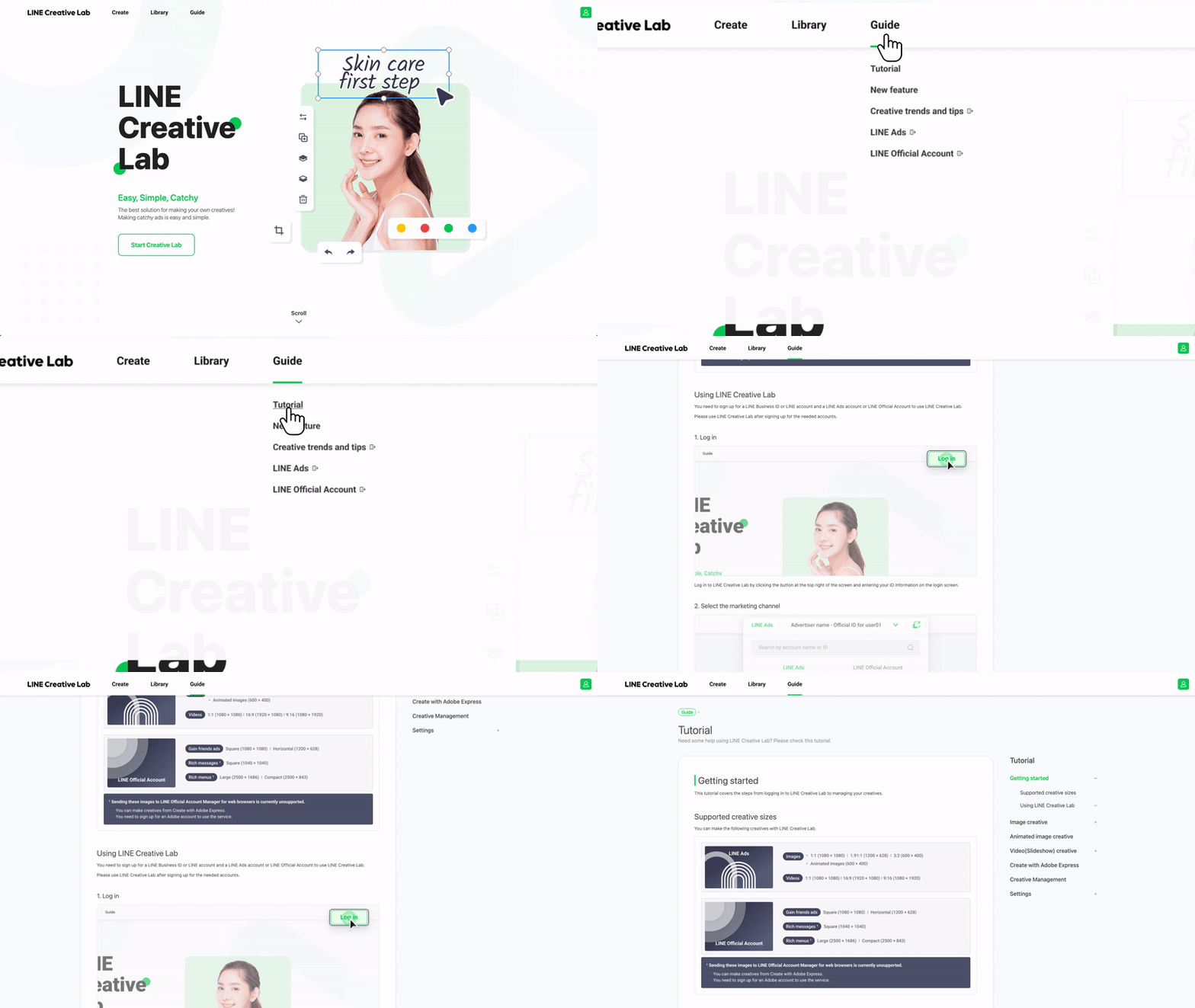
- The Tutorial under Guide has been updated with the latest information. Check out the tutorial to learn about making creatives.