
01 About the feature
To make designing creatives in LINE Creative Lab more efficient, new search options (Objective and Event/Season) and an improved template page are now available.
Additionally, the instructional text on the Select Service page that appears as the first step of using the service has been improved to make linking accounts easier.
With this update, advertisers and creators can find the templates they need more quickly and accurately and navigate the initial setup process without confusion.
02 Feature update 1: Template search page
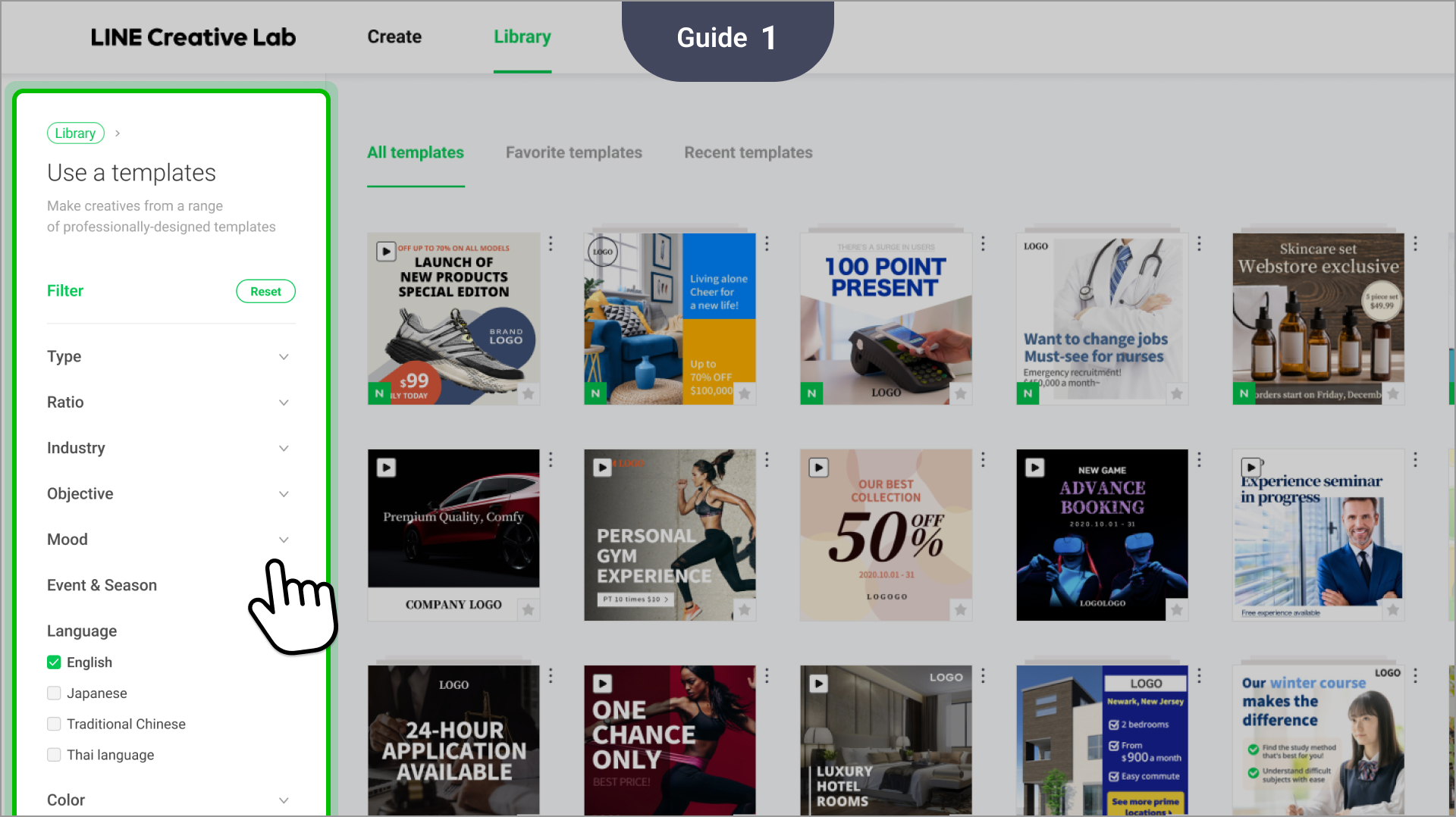
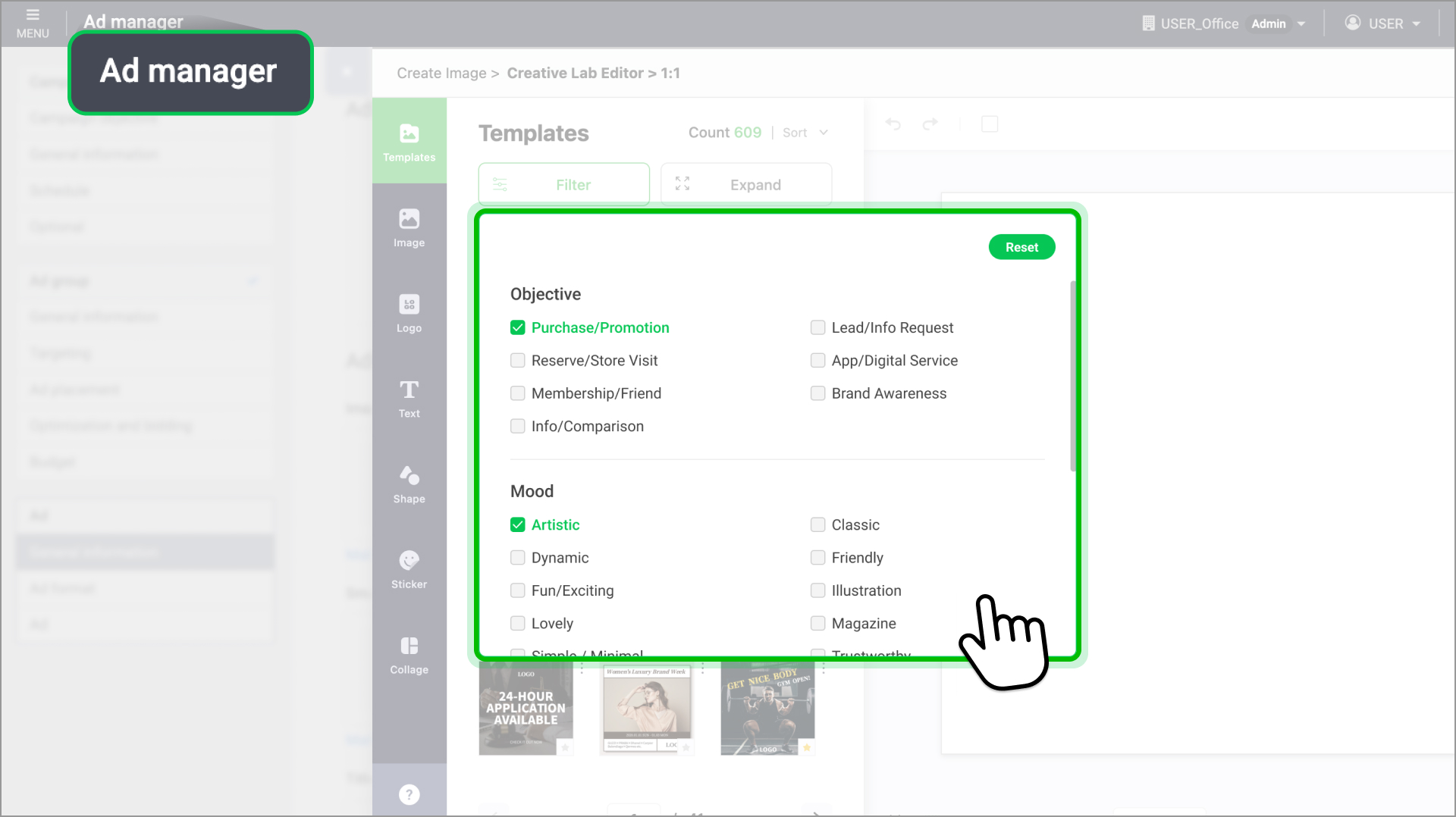
- Objective and Event/Season search options added
- You can filter templates by your advertising objective (e.g. traffic, app installation, promotion, retargeting).
- You can also explore templates tailored for specific seasons or events, significantly improving campaign planning efficiency.
- By combining multiple search options, you can perform more precise and targeted searches. - Template page UI improvements
- The template preview area has been expanded for better visibility.
- The layout has been improved so you can easily check template information at a glance (e.g. recommended usage, key components).
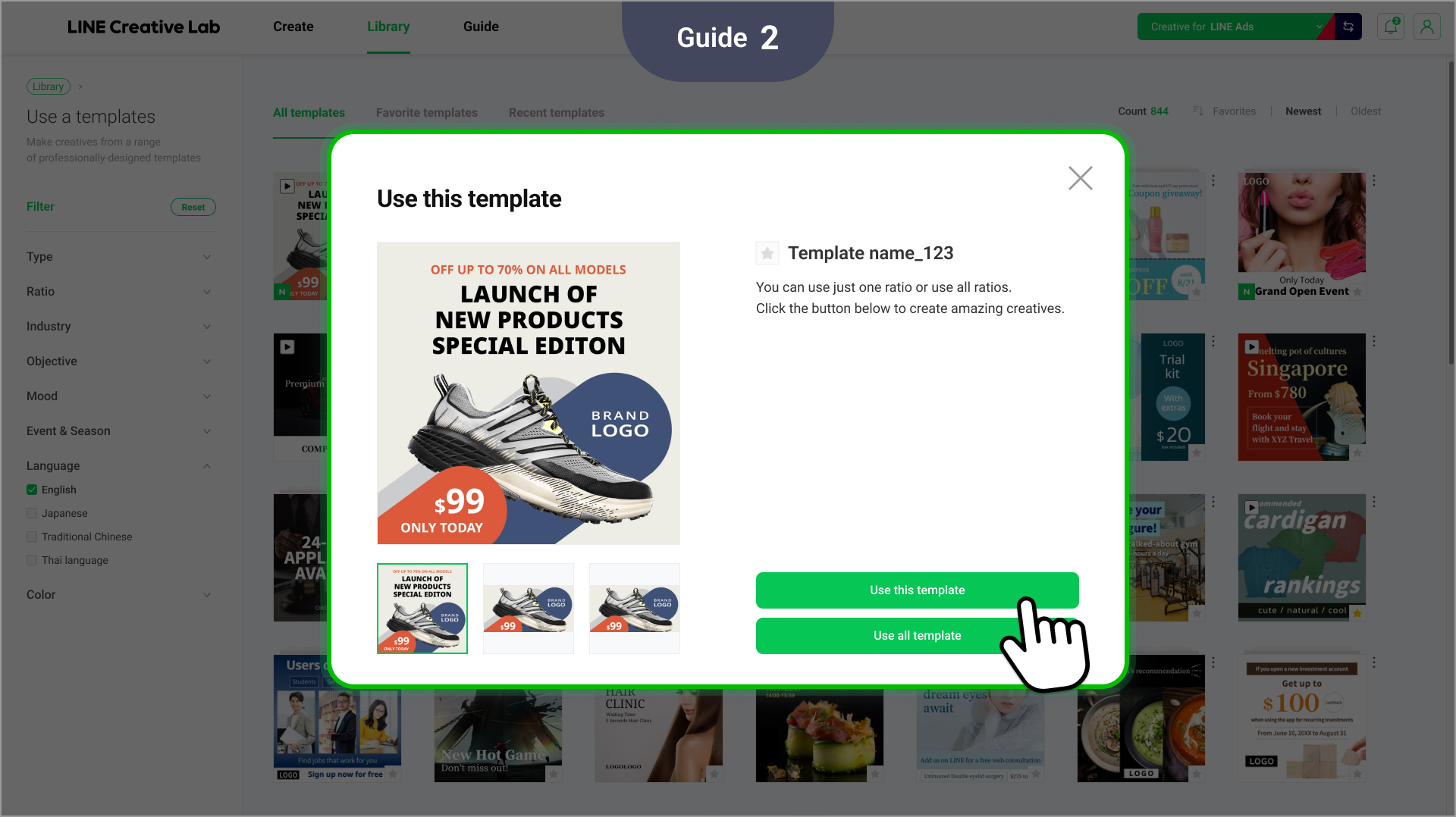
- Selected templates can be directly loaded into the image or video editor to immediately begin making creatives.
03 How to access each feature
This feature is available in LINE Creative Lab and LINE Ad CMS.
- LINE Creative Lab
- Create page: New Objective and Event/Season filters are available when selecting a template.
- Template page: Use the improved UI to preview and filter templates. - LINE Ads CMS
- Ad creation page: New search filters are available when selecting templates.
04 Feature update 2: Instructions and UI improvements for linking accounts
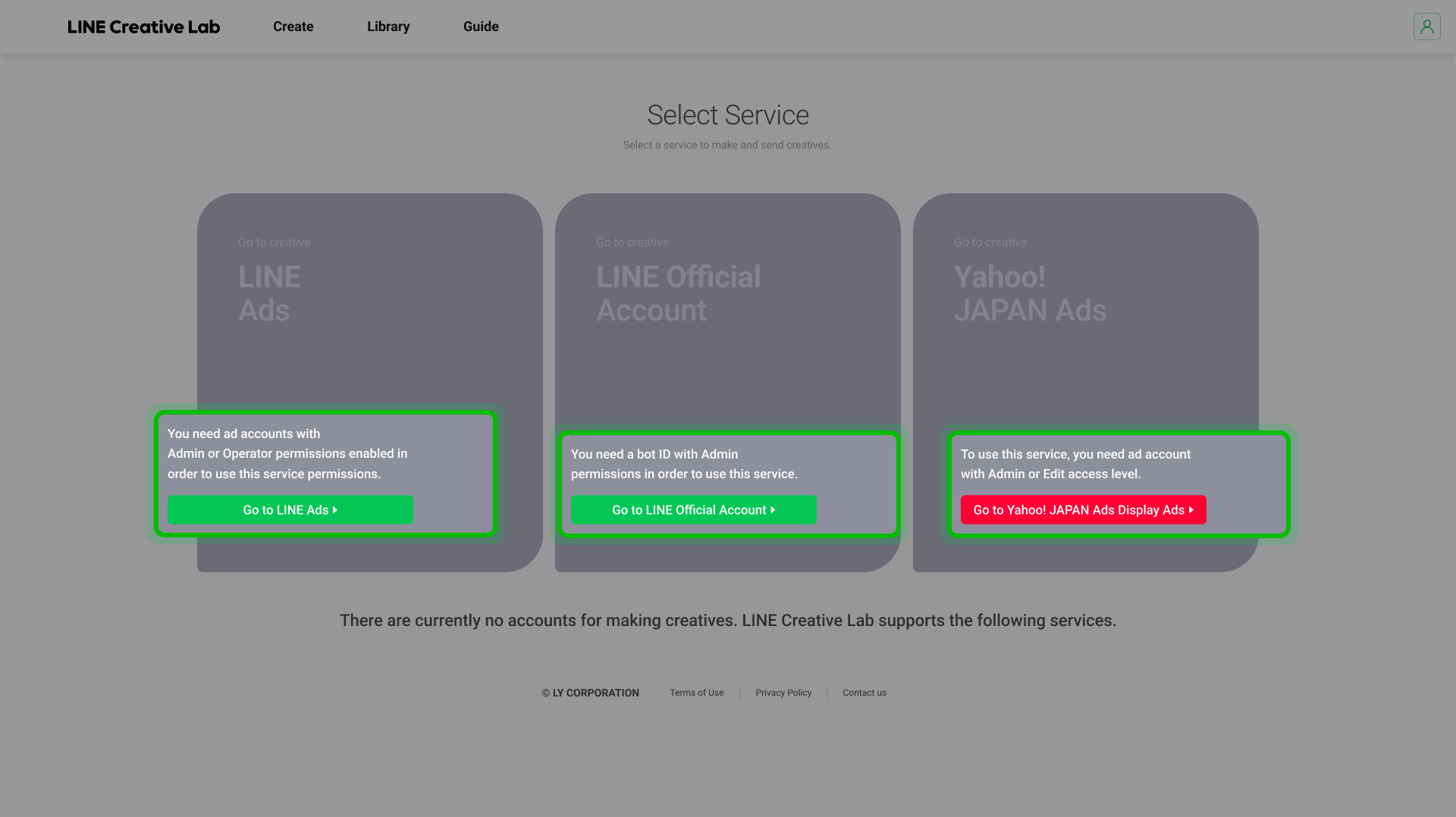
On the Select Service page, customized instructions are now displayed based on whether or not your accounts are linked (e.g. your LINE Ads account and LINE official account aren’t linked).
If no services are linked, the page now clearly indicates which button you should select, reducing confusion when you first use the service and improving overall usability.