01 Feature spotlight
Our latest update streamlines your creative process from start to finish. Now, you can auto-generate polished, ready-to-use banners simply by pasting a link. Need a quick fix? Our new prompt-based inpainting tool lets you edit specific parts of an image without ever leaving the editor.
02 Update 1: AI auto-creation (from link to banner)
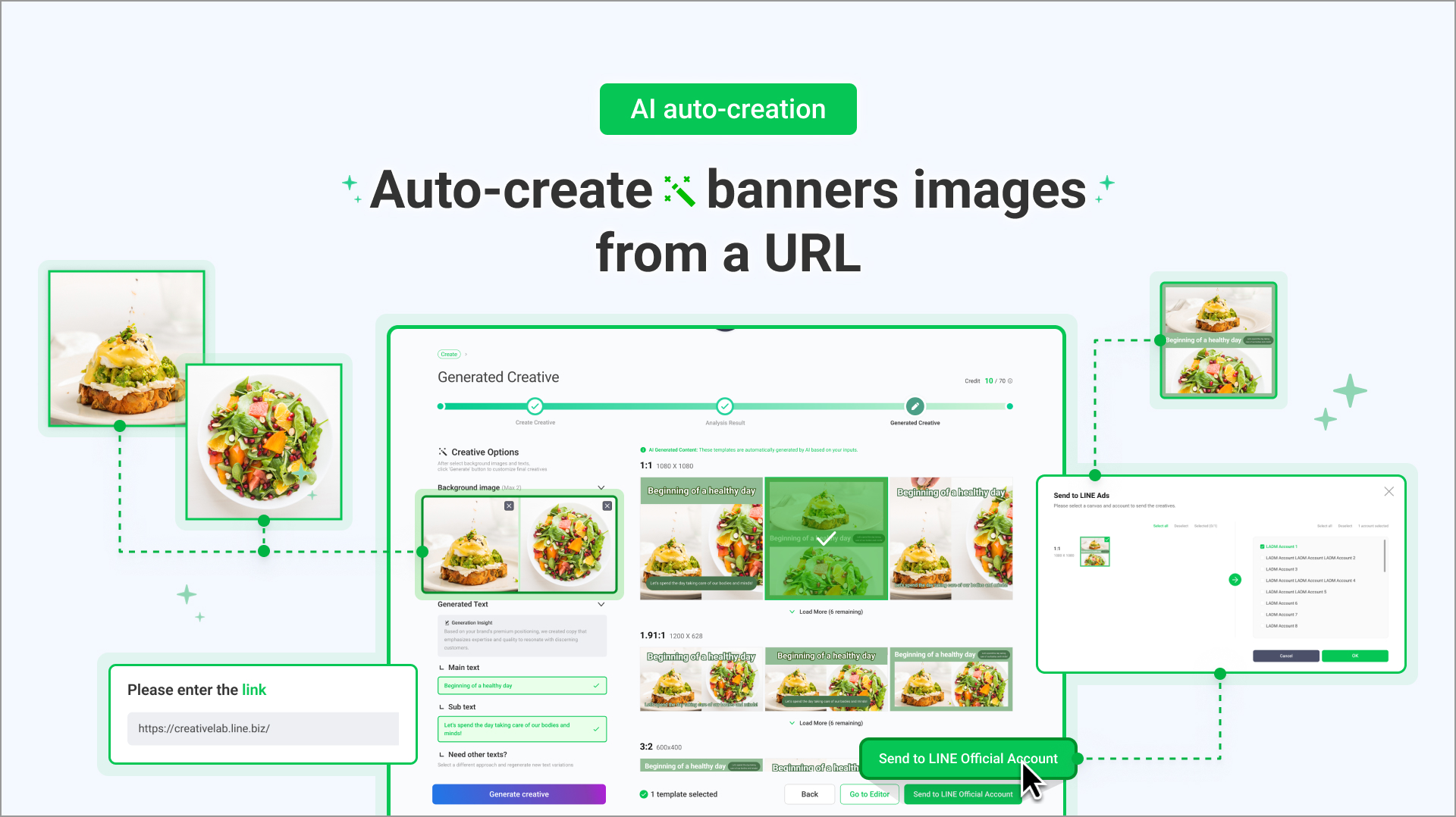
Instant layouts: Converts a link into a complete banner featuring optimized templates, text, and imagery.
Smart analysis: AI crawls the brand info to suggest ad copy and relevant images.
Expanded library: Access a wider variety of templates, including modern multi-image layouts.
The benefit: You can now quickly create banners without the need to prepare assets beforehand.
03 To use AI-Auto creation
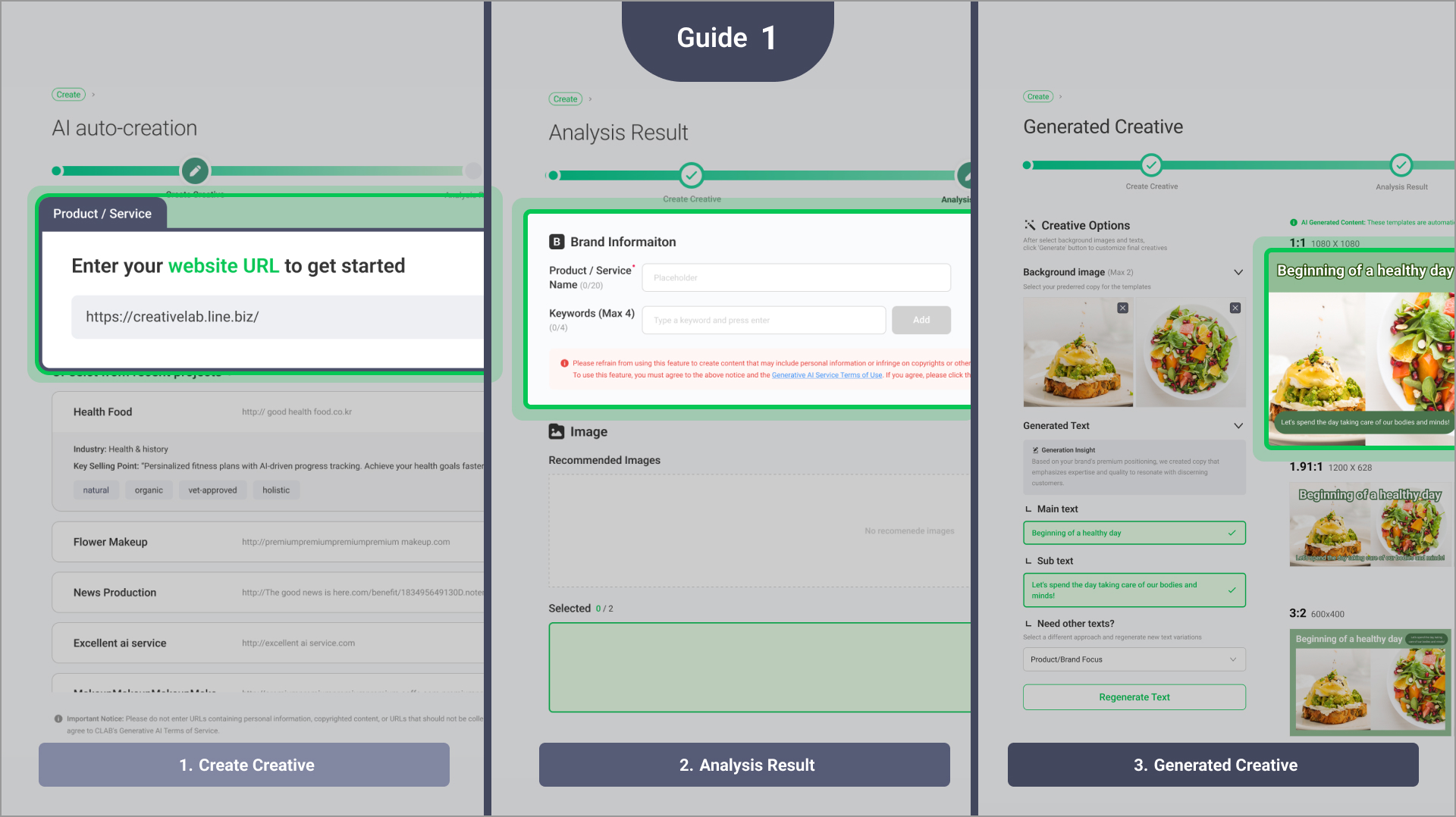
Go to Create > Generate new > AI Auto-creation under the Image section, then paste your link.
Review the extracted brand info and images, choose what you want to keep, then generate the banner.
Check the generated banner, then send it to the editor for final touches.
04 Update 2: AI Edit (Inpainting & Refinement)
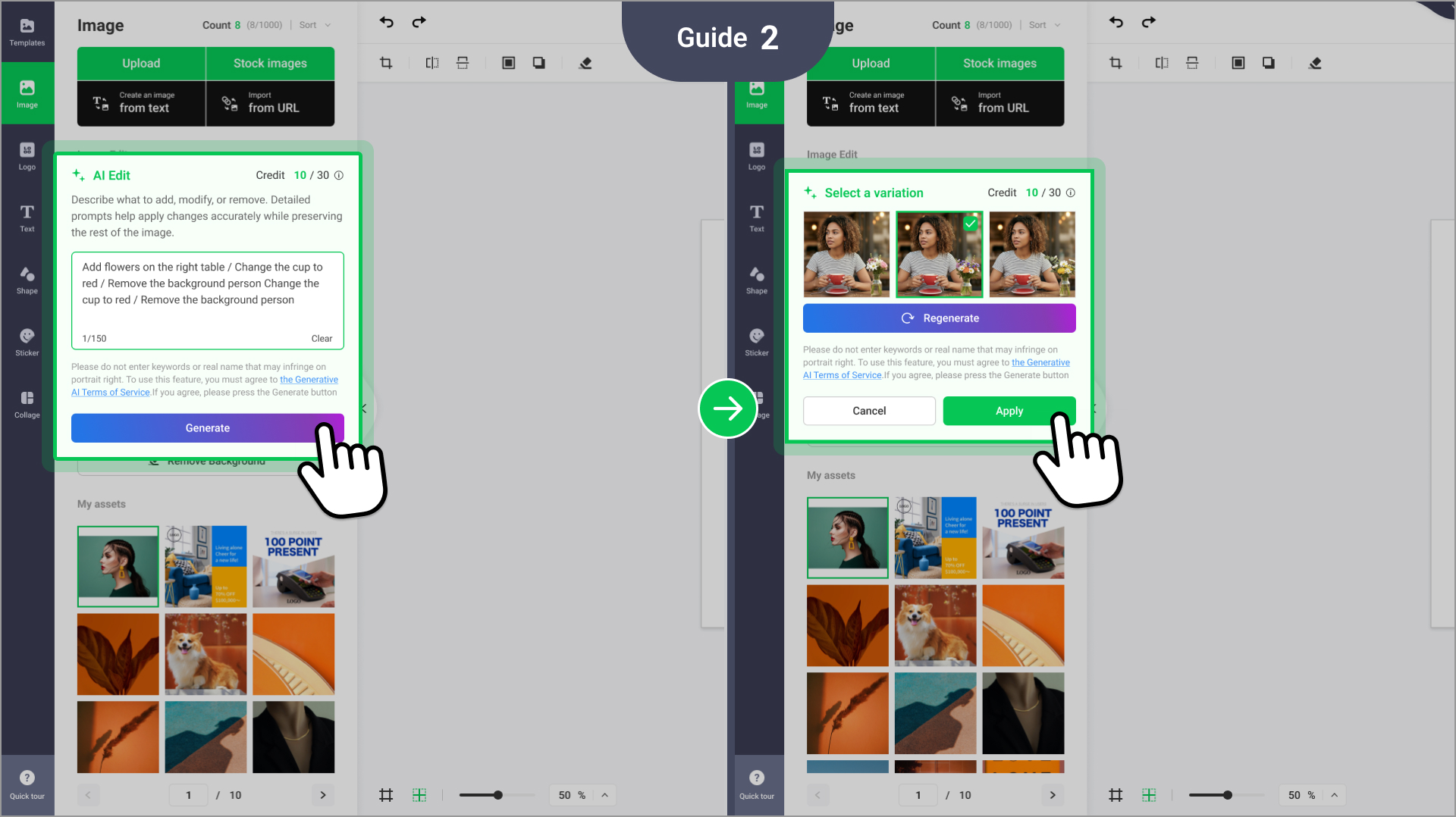
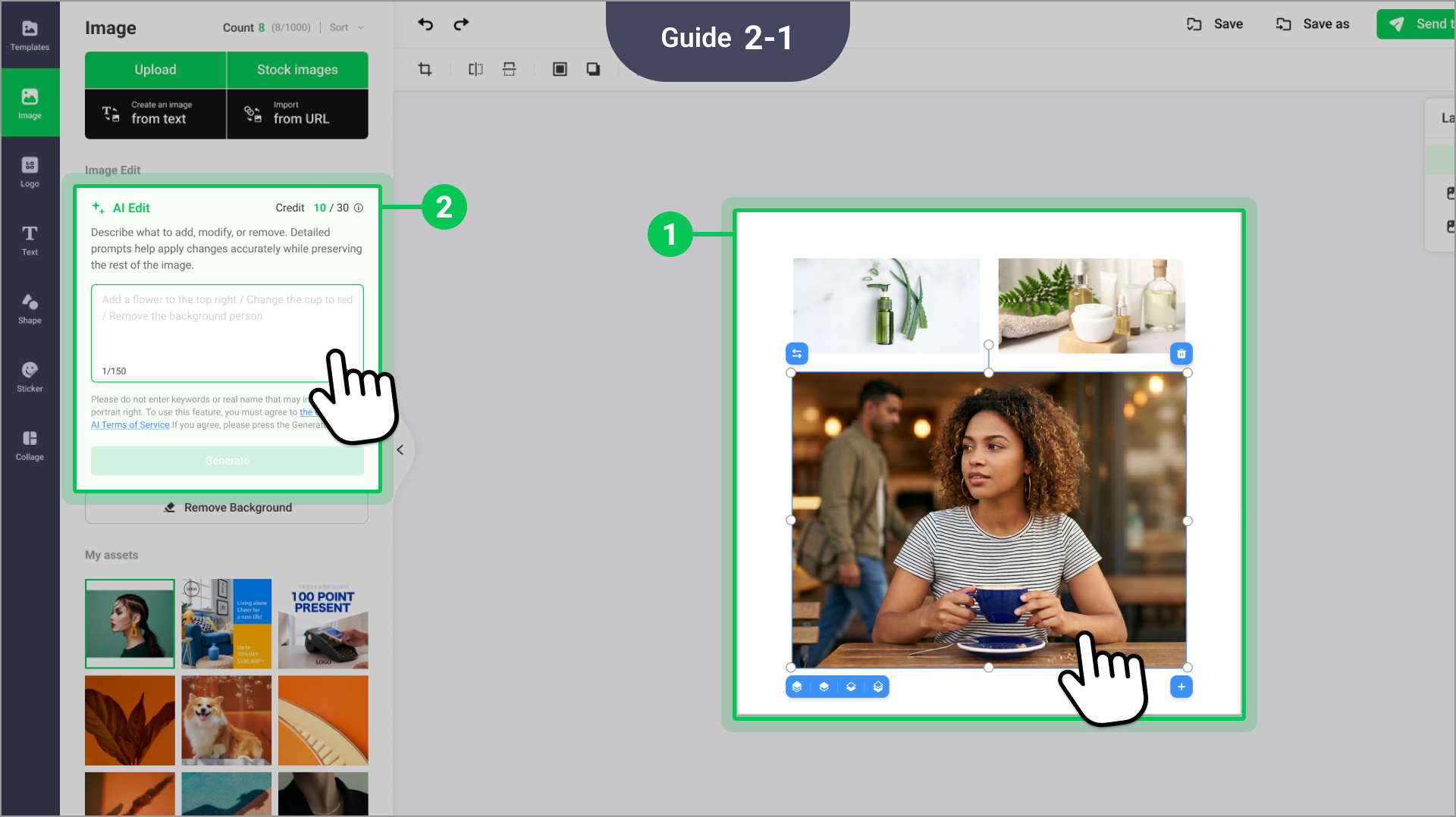
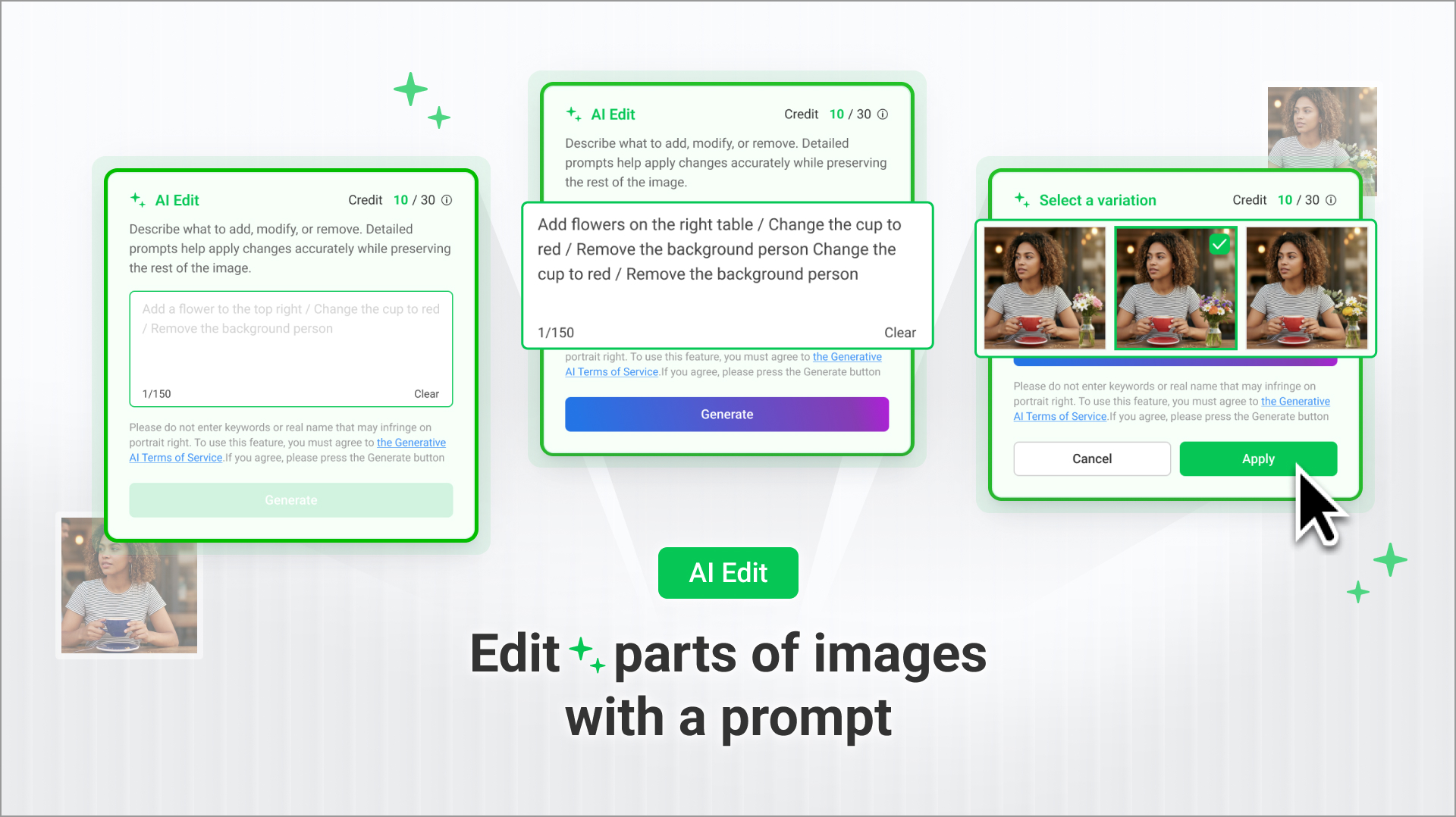
Prompt-based editing: Type simple commands like "remove background clutter" or "add flowers to the vase."
Seamless integration: Click any image within the editor to open the Image edit tool instantly.
Options to choose from: Receive three unique variations for every request—simply pick the best fit.
The benefit: Perform professional-grade touch-ups and object swaps in seconds.