01 Feature introduction
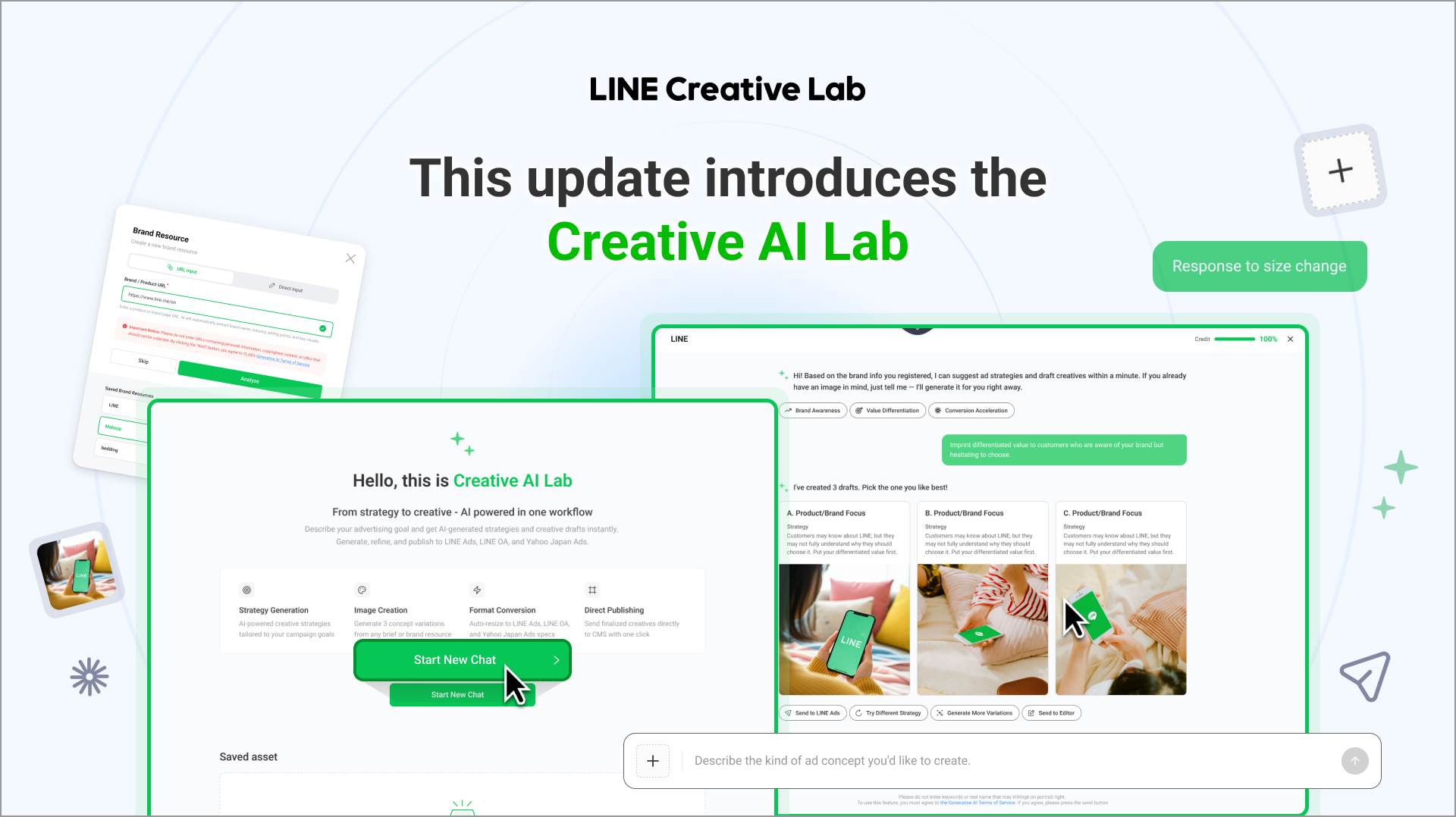
Previously, users often needed a separate AI tool to develop ad campaign ideas, another tool to create or edit images, and an advertising CMS platform to upload the final files.
With Creative AI Lab, there is no need to move repeatedly between different tools. Simply enter your brand or product information and a brief advertising request.
The AI tool suggests suitable campaign strategies and concepts for creatives, supports chat-based image editing and format conversion, and lets you send completed assets directly to supported advertising CMS platforms.
Even without advanced prompt-writing or design experience, you can follow the steps suggested by the AI tool and finish making ad creatives more quickly.
Key update 1
Propose an image draft that fits your purposes for producing an ad
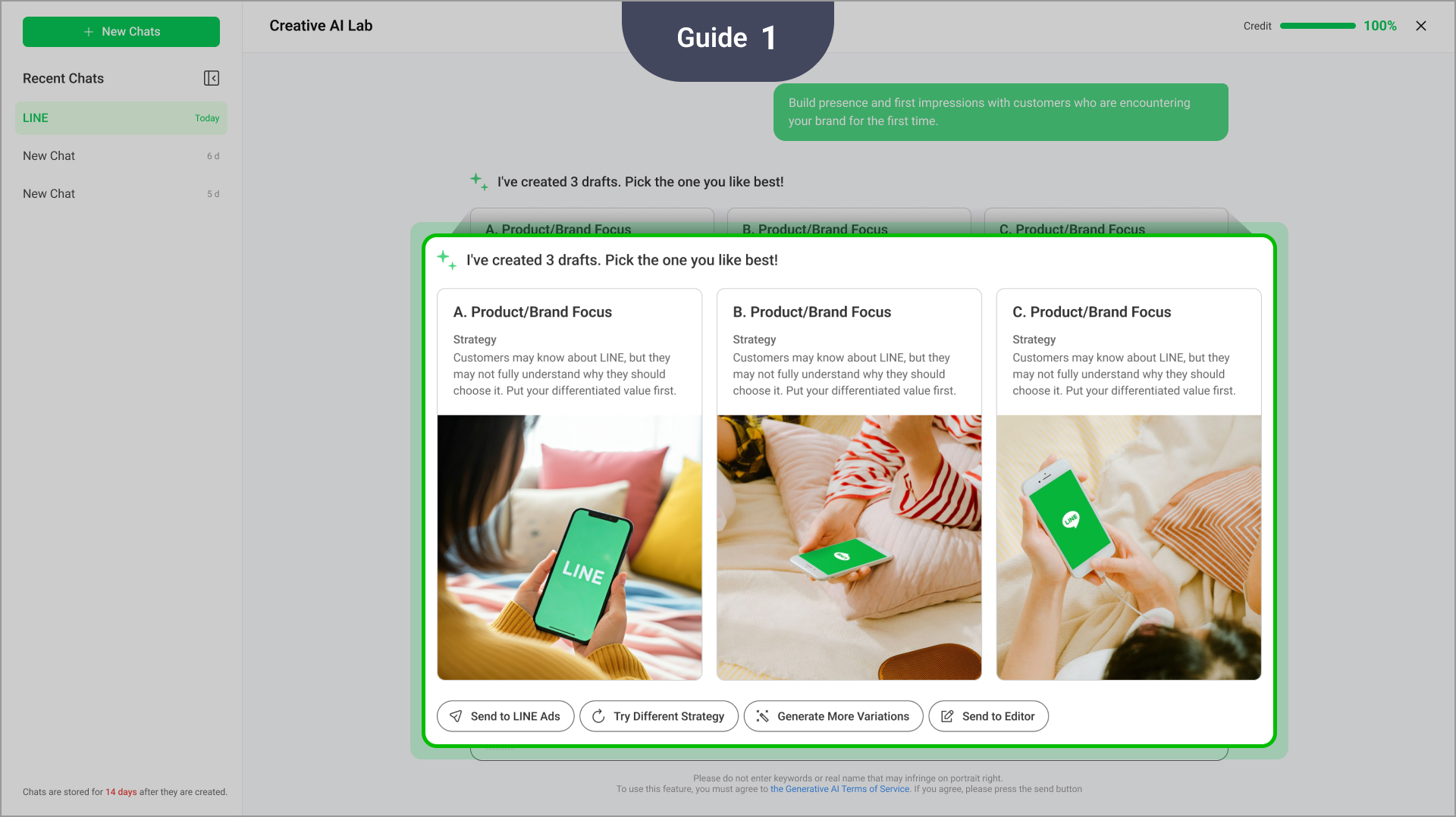
When you enter a brand or product URL, Creative AI Lab analyzes information such as the brand name, industry, selling points, and key visuals.
Several image drafts are proposed together based on the analyzed information and campaign purposes, so you don’t have to design a production concept for a draft from scratch.
Information is analyzed from a brand or product URL.
Enter information manually or reuse saved brand information.
Strategies are suggested based on ad campaign objectives and key selling points.
Image concepts for each strategy are generated.
Standard image generation is supported when strategy suggestions are not required.
You can move directly from planning a strategy to making creatives without having to organize ideas in one AI tool and transfer them to another content production tool.
Key update 2
Edit and expand options for creatives via a chat
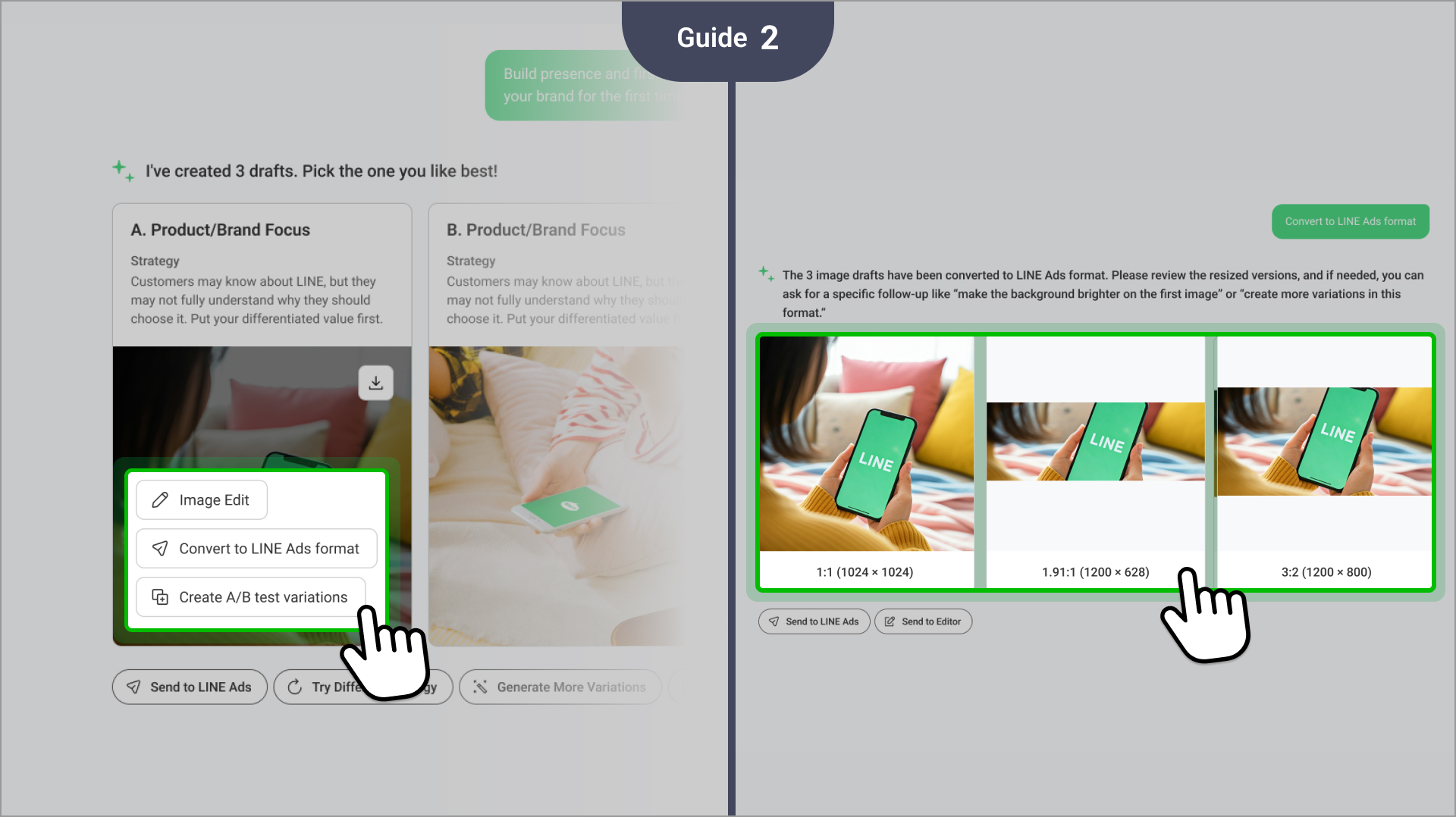
You can change specific elements, adjust the emphasis of the advertising copy, or regenerate the image with a different visual style while maintaining the existing context by entering revision requests with natural-language instructions.
It’s also possible to generate additional A/B test variations while preserving the same ad campaign objective and core message.
Edit images using natural-language instructions.
Add, change, or remove specific elements.
Generate additional concepts while maintaining the existing strategy.
Regenerate concepts using a different strategic direction.
Create A/B test variations.
Resize assets for LINE Ads, LINE Official Account, and Yahoo! JAPAN Ads formats.
There is no need to move to a separate image editor or resizing tool. You can review, revise, and expand options for creatives within one chat-based workflow.
Key update 3
Send assets directly to a CMS platform without downloading and re-uploading
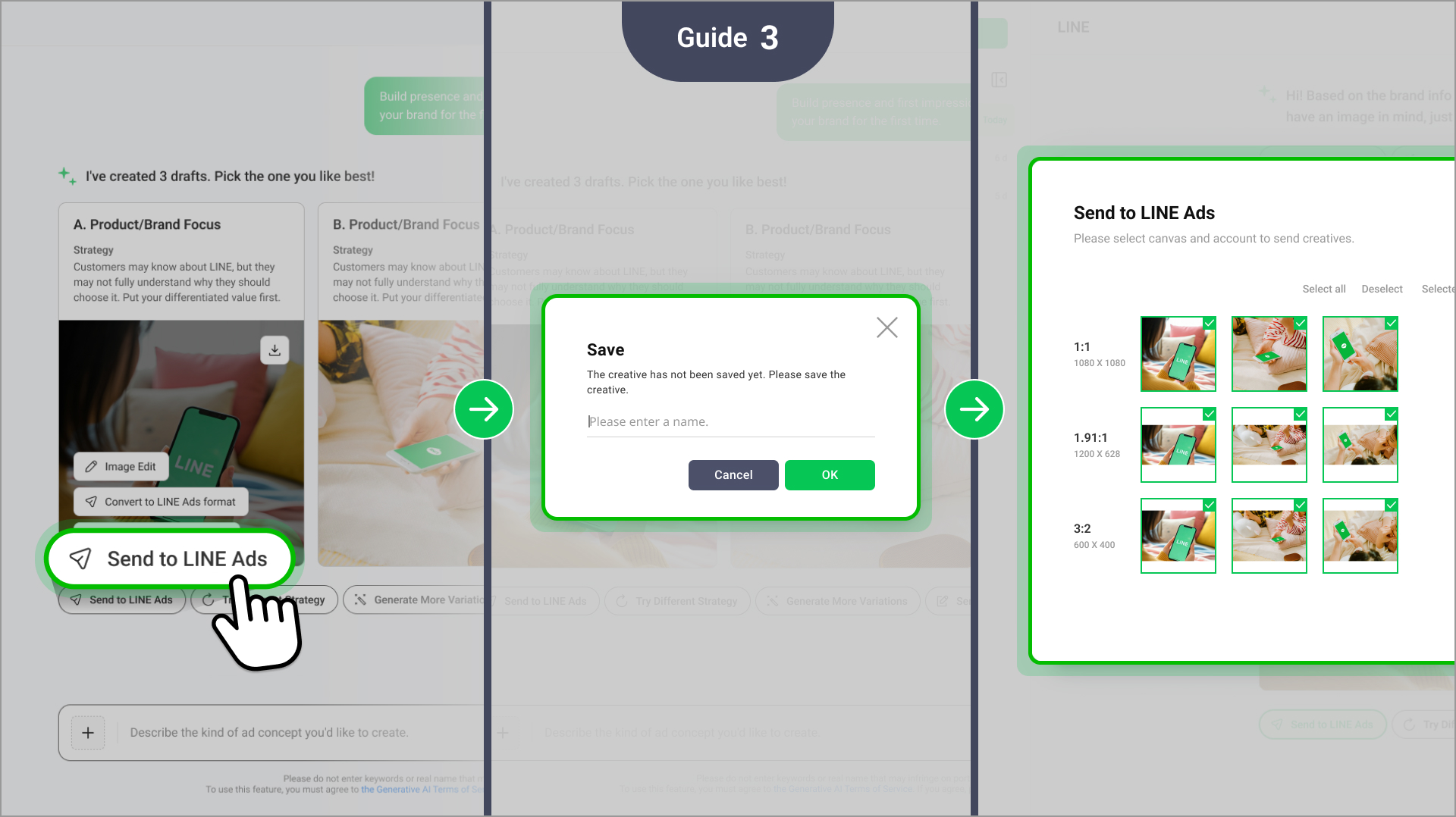
Generated images can be saved in My assets for later review, editing, or reuse. You can then select an account for a supported advertising service and send a completed asset directly to its respective CMS platform.
Save generated images in My assets.
Reopen, edit, or reuse saved images.
Send assets directly to the LINE Ads, LINE Official Account, and Yahoo! JAPAN Ads CMS platforms.
Convert assets to suitable channel formats before delivery.
No separate file downloads or re-uploads are needed.
- You can complete strategy planning, image creation, editing, format conversion, and CMS delivery within one service.
- This reduces the need to repeatedly move between AI tools, image-editing tools, and advertising CMS platforms, helping you turn an advertising idea into a campaign-ready asset more quickly.
How to use
Open AI Lab beta from the LINE Creative Lab top menu or Create page.
Enter a brand or product URL, or select previously saved brand information.
Enter the ad campaign objective and the key selling point you want to highlight.
Select your preferred approach from the strategies and image concepts suggested by the AI tool.
Edit the image through the AI chat or generate additional A/B test variations as neede
Convert the image to the appropriate size for the relevant advertising channel.
Save the completed asset or send it directly to a supported CMS platform.
* Creative AI Lab is provided as a beta feature.
* You should review all AI-generated strategies, advertising copy, and images before launching an advertisement.
* Results and response times may vary depending on the input, image conditions, and system status.
* A chat’s history and its unsaved generated images expire 14 days after the chat begins.
* You should save images you need to retain in My assets.
* Image generation may be subject to usage limits.
* CMS delivery is available only after you’ve finished configuring an account for the target advertising service.
* Using the feature does not guarantee ad review approval or advertising performance.